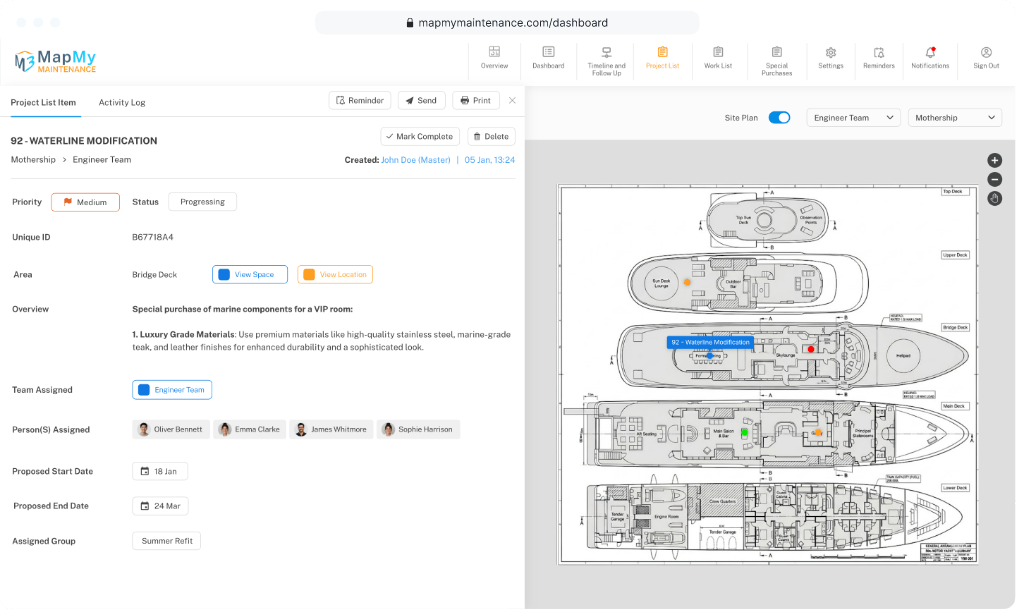
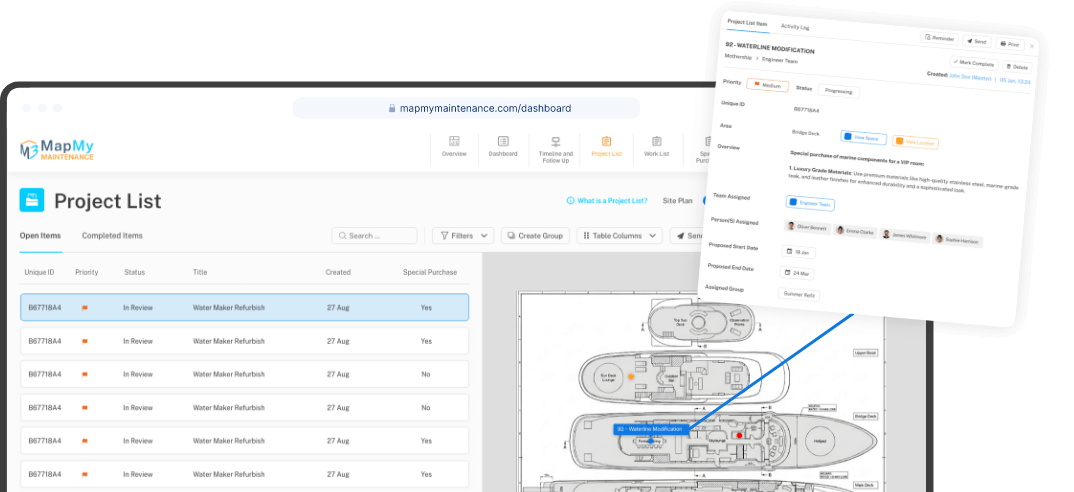
Map My Maintenance is the project management system built around your plan

An all-in-one solution for managing maintenance, refits, new builds, and ongoing upkeep. Anchored to your real-world layout, so every task lives where it actually belongs. Designed for yachts, shipyards, construction sites, factories, and any asset-based environment where tasks need to be managed by location.

Powerful tools · Clear workflows · No setup fees · No demos · No delays

Card required. No charge until day 15. Cancel anytime before then.

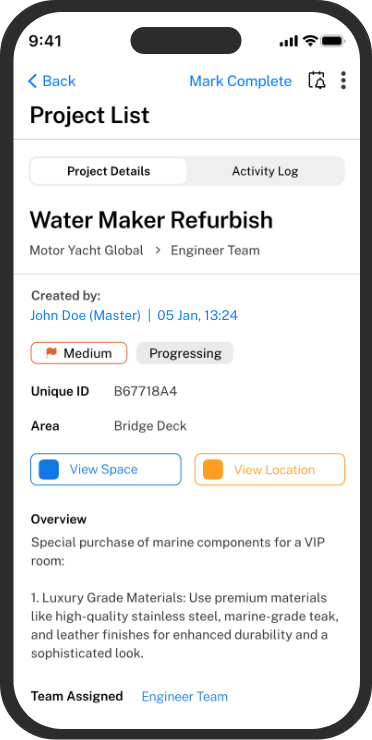
Available on mobile

Free to download. Works with any active Map My Maintenance subscription.

Built for the people who actually do the work.

  • Maritime
  • Construction
  • Facilities
  • Refit
  • Home
One workspace

Keep every job connected to the work, parts, people and places behind it

Maintenance is difficult to manage when information is spread across messages, spreadsheets, emails and files.

Map My Maintenance brings everything into one asset-based workspace, where jobs can be linked to the right area, updated as they move forward, and found when they are needed.

A clearer way to manage maintenance, projects and the assets they belong to.

Three lists. That's the whole system

Every job in Map My Maintenance lives on one of three lists. No tagging puzzles. No clever workflows to learn. Just three lists that match how the work actually gets done, and that talk to each other when they need to.

01
List 1 · Work List

The jobs your team can handle in-house

Manage day-to-day maintenance, repairs, and tasks using the skills your team already has. Every job includes everything needed to do it right, including photos, annotated instructions, the exact blueprint location, assignees, deadlines, and required parts. If a task requires a part to move forward, it links directly to the sourcing purchase order.

High priority Galley · Deck 2
Extractor fan, replace bearing, balance & test
+3
MRPR Marcus R. · Priya R.
Linked to a purchase
02
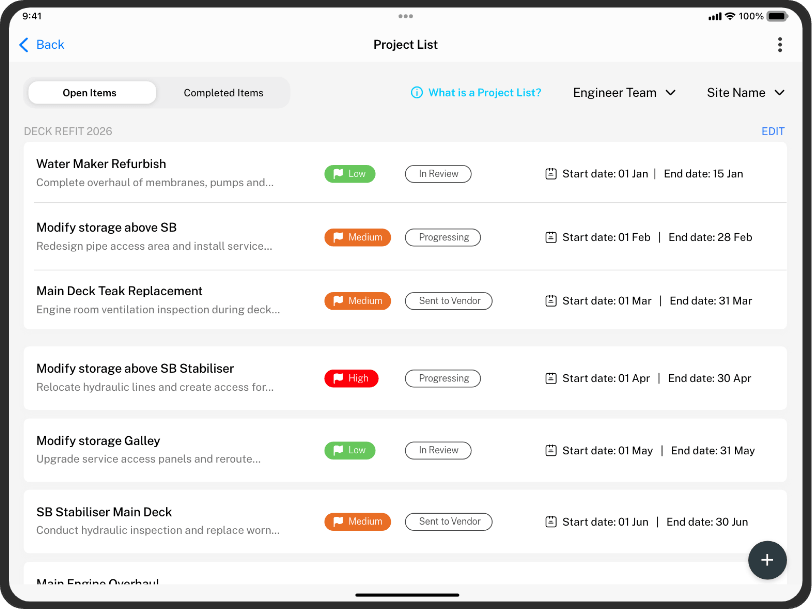
List 2 · Project List

Jobs that requires specialised contractors

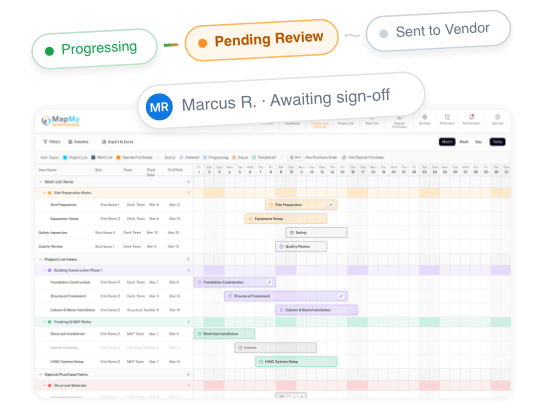
Specialists, contractors, the trades you can't do in-house. The Project List tracks every external job through the stages it actually moves through, Initiated, Progressing, Pending Review, Sent to Vendor, Sent to Repair Facility, Sent to Agent. No more chasing emails to find out where things stand.

Generator overhaul
  1. Initiated
  2. Progressing
  3. Pending Review
  4. Sent to Vendor
  5. Sent to Repair Facility
  6. Sent to Agent
03
List 3 · Special Purchases

The parts and materials that make it all possible

Materials, components, spare parts. Every purchase carries the manufacturer number, the serial number, photos, the delivery address, and the suppliers quoting on it. Add multiple companies to one purchase, attach each one's quote, and pick the right offer with everything in front of you.

Bearing · multi-supplier quote
Supplier A $182.40
Supplier B $214.00
Supplier C $198.50

These three lists form the foundation of Map My Maintenance. From there, the platform gives teams the tools they need to manage tasks with more clarity, including an interactive plan, OCR for part numbers, annotated work instructions, real-time collaboration, offline mobile access, a complete activity log, and professional reports.

Interactive plan
OCR for part numbers
Annotated work instructions
Real-time collaboration
Offline mobile
Activity log
Reports
See How It All Works
What you can do

What you can do with Map My Maintenance

From a single snag spotted in passing to a full refit scoped months in advance, here's what the system handles.

  • Pin to plan

    Every job, anchored to the place it lives

    Drop a pin from your phone the moment you spot something. The plan becomes the working map, fixes, projects, parts on order, all in the exact place they belong.

    Map My Maintenance Work List anchored to a yacht site plan with a section detail panel
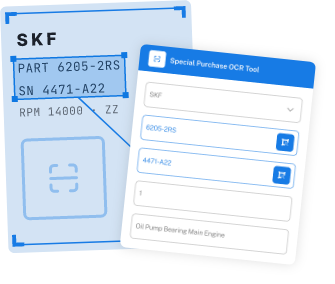
  • OCR

    Snap the dataplate. Order the right part

    We read the manufacturer and serial straight from the photo, and link them to the job that needs them.

    OCR scanning an SKF dataplate and populating the Special Purchase OCR Tool form
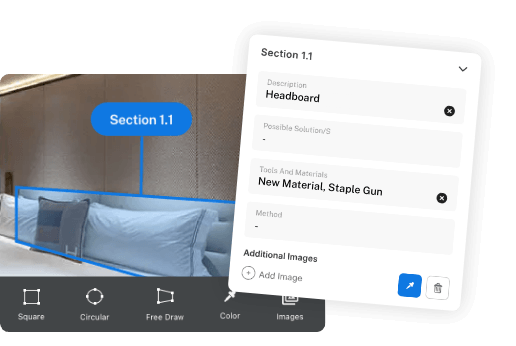
  • Annotate

    Photos become work instructions

    Arrows, callouts, materials, method, straight on the photo.

    Annotation tool on a stateroom photo with Section 1.1 detail card
  • Stages

    Every contractor, every stage

    Initiated → Progressing → Pending Review → Sent to Vendor. Always know where things stand.

    Contractor stages: Initiated, Progressing, Pending Review, Sent to Vendor, with timeline view
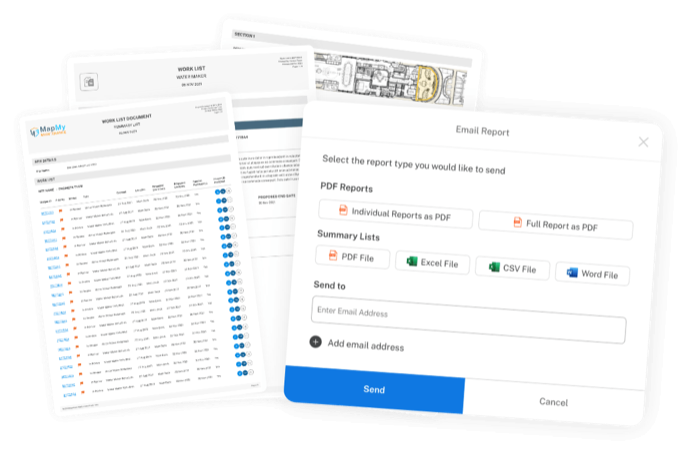
  • Handover

    One-click handover reports

    PDF or Excel with photos, signatures, and the full audit trail, branded as yours.

    PDF and Excel handover report dialog with branded report preview

See every feature in detail.

Explore Every Feature

Up and running by lunchtime

  • 01

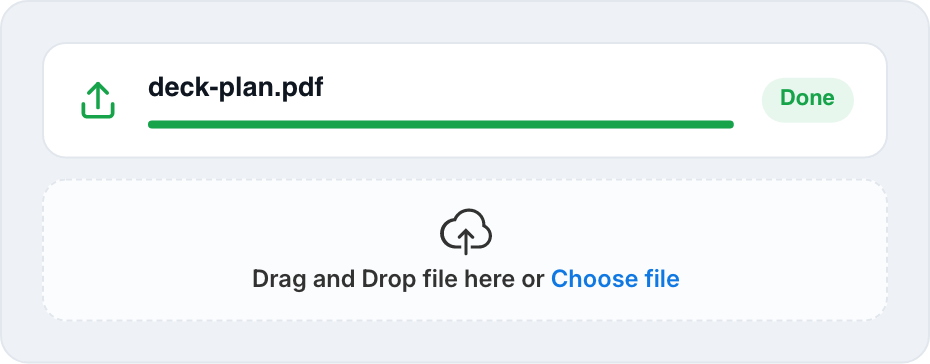
    Upload your plan

    Drop in a GA, a floor plan, or any layout drawing. Define the floors, decks, or levels. Draw the spaces within them. That's your map.

    deck-plan.pdf uploaded and Drag and Drop file here or Choose file panel
  • 02

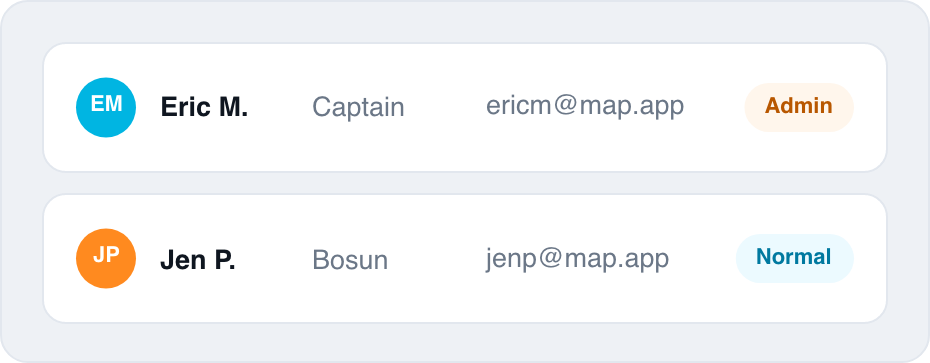
    Invite your team

    Your team, your contractors, your suppliers. Each one gets the right level of access, admin, normal, or guest, and lands in a workspace that's already set up for them.

    Eric M. Captain ericm@map.app Admin and Jen P. Bosun jenp@map.app Normal rows
  • 03

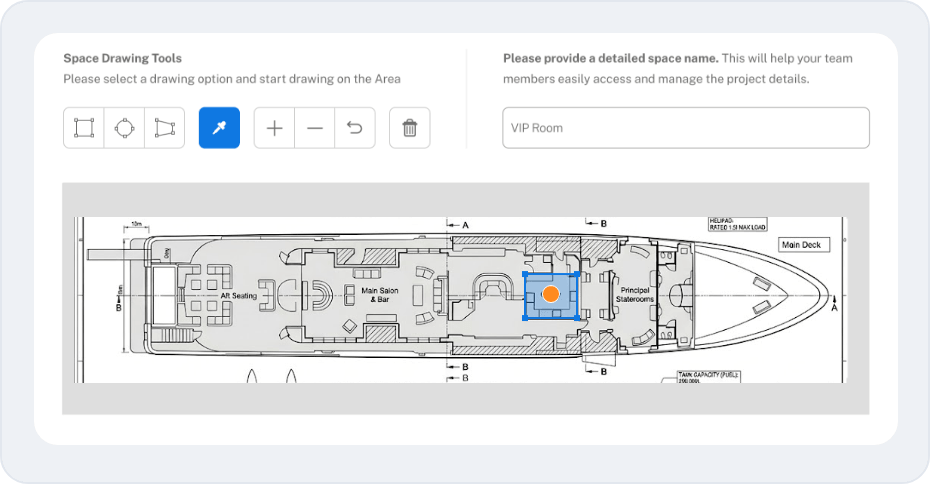
    Pin the work to the place

    Every job becomes a pin on the plan. A photo. A description. A priority. The person responsible. The date it's needed. Add a part to order and it links itself to the right list.

    Space Drawing Tools panel and yacht site plan with a pinned VIP Room on Bridge Deck
  • 04

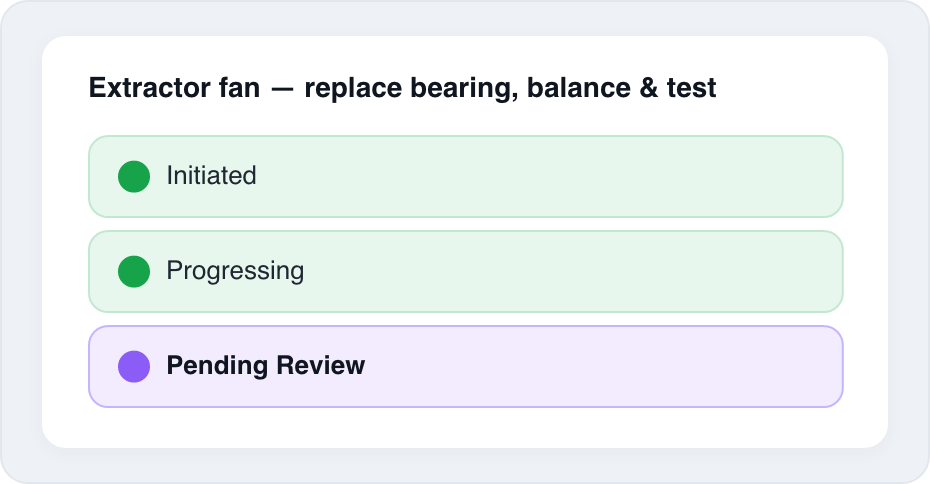
    Track it from spotted to done

    Status changes notify the right team members automatically, and only when it matters. The job moves through its lifecycle. The map updates in real time. The audit trail writes itself.

    Extractor fan work order showing Initiated, Progressing, Pending Review stages

Why teams switch to Map My Maintenance

Benefit 1

Nothing slips between team members anymore

Every job lives on a map everyone can see, owned by the responsible person. When the status changes, the right people get notified, automatically, and only when something meaningful actually changes. No more chasing. No more "I thought you were doing that."

EMSpotted Pinned MROwned Done
Benefit 2

Run real projects, not just punch lists

Scope a refit, a renovation, or a new build phase by phase. Group hundreds of items by zone, team, or stage. Coordinate every contractor through a defined workflow, so you always know exactly where things stand.

Phase 1 Phase 2 Phase 3
Benefit 3

Order the right parts. The first time

The OCR tool reads manufacturer and serial numbers directly from photos of dataplates. Multiple suppliers can quote on the same purchase, with their documents attached. Every part links back to the job that needs it, so nobody orders the same thing twice.

Dataplate photo → MFR · SN read
Linked to the job
Who it's for

Built for anyone responsible for maintenance, projects, and the assets they’re connected to

  • 01 · Maritime

    Vessel management companies, captains, engineers and refit managers

    Run the day-to-day, the warranty list, and the next refit from one shared map, onboard and onshore, online or off.

    • Daily ops
    • Warranty
    • Refit
  • 02 · Yards & sites

    Shipyards, builders contractors and project managers

    Coordinate every contractor and every trade across multiple sites, multiple plans, and multiple phases, without losing context between handovers.

    • Multi-site
    • Trades
    • Handover
  • 03 · Facilities

    Facility and factory managers

    Keep buildings running and machines turning, with ad-hoc fixes, planned maintenance, and capital projects all tracked in the same place.

    • PM schedule
    • Ad-hoc fixes
    • Capex
  • 04 · Home

    Luxury villas, homeowners, hotels, commercial property managers, and small property managers

    The leaky tap, the wobbly hinge, the renovation you're planning for next spring. Spot it, pin it, assign it, even if "assign" means handing it to yourself for the weekend.

    • Quick fixes
    • Renovations
    • One person

What changes when every job lives on the map

Without
  • Someone spots it. Forgets to mention it.
  • Project plans live in a spreadsheet only one person opens.
  • "Is anyone fixing the thing?" "I thought you were."
  • Handovers are a stack of photos and a phone call.
With Map My Maintenance
  • Someone spots it. Drops a pin. It's logged in seconds.
  • Plans live on the map. Everyone's working from the same plan.
  • Everyone can see who owns it, where it is, what stage it's at.
  • Handovers are a report. With everything in it.

Common Questions

Is this for everyday maintenance or for bigger projects?
Both, and most teams use it for both at the same time. A refit runs in the background while day-to-day maintenance continues on top. Same map, same system, same team.
Will it work for what I do?
If what you look after has a layout, a vessel, a building, a site, a home, yes. Map My Maintenance doesn't care what industry you're in.
What if I don't have a polished plan to upload?
A PDF drawing works. A photo of a hand-drawn sketch works. As long as you can recognise the place, you can draw the spaces and drop pins on it.
What happens when there's no internet?
Offline access is available on mobile. If you lose internet while working from your phone or tablet, you can still drop pins, add photos, and write notes. Once your device is back online, your changes will sync automatically so the rest of the team can see the latest updates.
Can I run multiple sites in one account?
Yes. The number of included sites depends on your plan. Each site has its own plan, team, and notification settings, and you can add more sites as you grow.
Is my data secure, and can I get it out?
Yes and yes. Your data is encrypted and yours alone. Reports and lists export to PDF, Excel, CSV, or Word, any time.
Can I cancel anytime?
Yes. Cancel from your account settings whenever you want. If you're billed monthly, your plan stays active until the end of the current month and isn't renewed. If you're billed annually, your plan stays active until the end of the year you've paid for, we don't refund the unused portion, no exit fees.

Stop carrying it all in your head

From the leak you spotted this morning to the refit you're scoping for next year, it all belongs on the same map.

Card required. No charge until day 15. Cancel anytime before then, we'll even remind you.