
The typo that delays a job for two weeks
One wrong character in a part number does not fail immediately — it fails two weeks later, when the wrong part arrives and the yard day has already passed. Here is the structural fix.
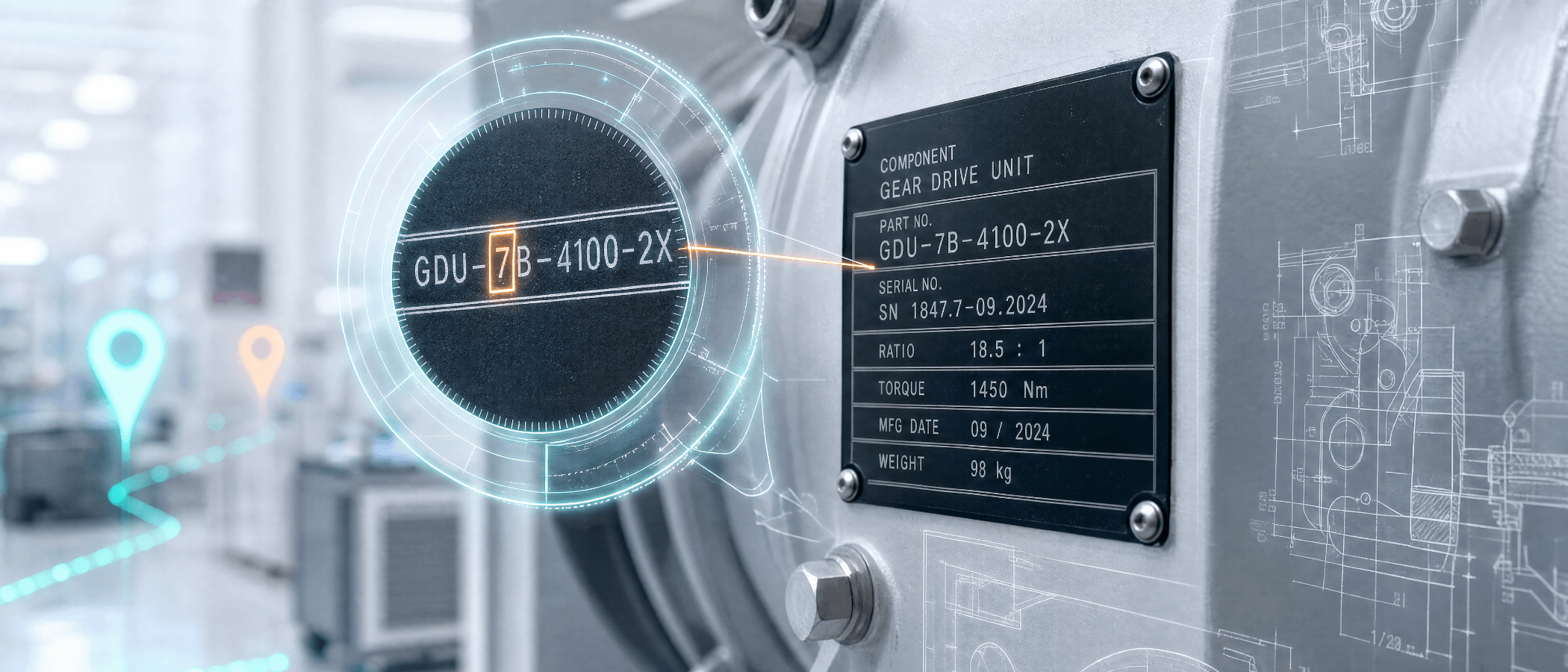
The watermaker rebuild is scheduled for the Thursday yard day. The chief engineer logs the job three weeks out, photographs the high-pressure pump assembly, and keys the replacement membrane part number in from memory: 14-SW-8040-FR. The correct number is 14-SW-8040-FF. One character. The supplier ships 14-SW-8040-FR — a different membrane for a different flow rate. It arrives the Wednesday before the yard day. The engineer checks it against the assembly and knows immediately it is wrong.
The re-order goes in that evening. The correct part has a twelve-day lead time. The rebuild moves to the following month. The vessel leaves the yard with the job outstanding. The cost of that single character is not the price of the wrong part — it is the yard day that cannot be recovered. This is what part number management software is supposed to prevent, and most maintenance tools have no mechanism for it at all.
Why part number errors are structural, not careless
The standard framing is human error: someone typed the wrong thing, so the fix is more checking. That misidentifies the cause. A chief engineer logging a component during a yard visit is working from a dataplate in a confined space, often with poor lighting, often while managing three other conversations. The dataplate carries eight to sixteen alphanumeric characters in a font sized to fit the plate. The engineer reads the string, holds it in working memory, walks to where they can type, and enters it — or photographs the plate and transcribes later. Both routes introduce the same opportunity for a single character transposed, omitted, or misread.
Part number errors are not a failure of diligence. They are a predictable outcome of asking humans to transcribe an alphanumeric string from a label under pressure.
Zero, O, one, I, eight, B
A string like B8S1-O05F contains four characters with visually similar alternatives in common fonts. A tired engineer transcribing under time pressure will occasionally get one wrong — and the cost surfaces only when the part arrives and is checked against the asset, by which point the recovery window is often closed.
How the OCR Tool removes transcription from the process
Map My Maintenance includes a built-in OCR Tool, accessible directly within the Special Purchases module when adding a component. Instead of switching to manual text entry, the engineer activates USE IMAGE mode, which opens a camera and image upload interface. They photograph the component's dataplate, label, or packaging — or upload a photo already taken — and the image appears on screen as a canvas.
The engineer then draws a selection box over the Manufacturer Part Number on the image. The system reads the text within the selection and auto-populates the field. The same process applies to the Serial Number. The transcription step is removed: the engineer does not hold a string in memory and type it; the system reads it from the source document. The dataplate is the input. The field value is a direct extraction, not a human interpretation — either correct, or a readable indication of where the selection needs redrawing. The feedback loop is immediate and visual, not delayed by two weeks and a courier delivery. The photograph is also stored against the record as evidence of what was scanned, so the part number has a document behind it.
How this sits within the full procurement record
The OCR Tool is one part of a structured procurement workflow. Each component within a Special Purchase is logged as either a Component (Manufacturer, Manufacturer Part Number, Serial Number, Order Quantity, Description) or a Simple Product (Product Name, Barcode or Product Code, Brand, Colour, Order Quantity, Description), so the record always captures what is relevant. Each component can be assigned its own Area, Space, and Location on the site plan, so when the replacement arrives the delivery record shows exactly where it needs to go.
The Special Purchase connects to the job that needs it: a Project List item for the watermaker rebuild links directly to the Special Purchase for the membrane, so the chain from job to order to delivery is visible in a single record. The Activity Log records every change — when the order was placed, when the status changed, when delivery dates were updated — so when the chief engineer asks what happened to the membrane order, the answer is in the record, not in someone's inbox.
What the two-week delay actually costs
The wrong part was ordered and shipped; depending on the supplier's return policy, one or both costs may be unrecovered. The re-order carries a second shipping cost and the full lead time from scratch. The yard day cannot be recovered — yard time is booked in advance, and a job that misses its window joins the queue for the next slot, perhaps four weeks away. The job sits open on the Work List until it is resolved.
None of that is recoverable by adding a verification step to manual entry. Verification catches fewer errors in exactly the conditions where part number errors are most likely: end of shift, confined spaces, time pressure, information passed through more than one person. The only reliable solution is a process that does not ask a human to transcribe an alphanumeric string from a physical label in the first place. That is what the OCR Tool is — not a feature for richer documentation, but a structural fix for a specific failure mode with a predictable, disproportionate cost.